Bundles save up to 25%. See every bundle

Code Boss
Dark

Full screen

What it does

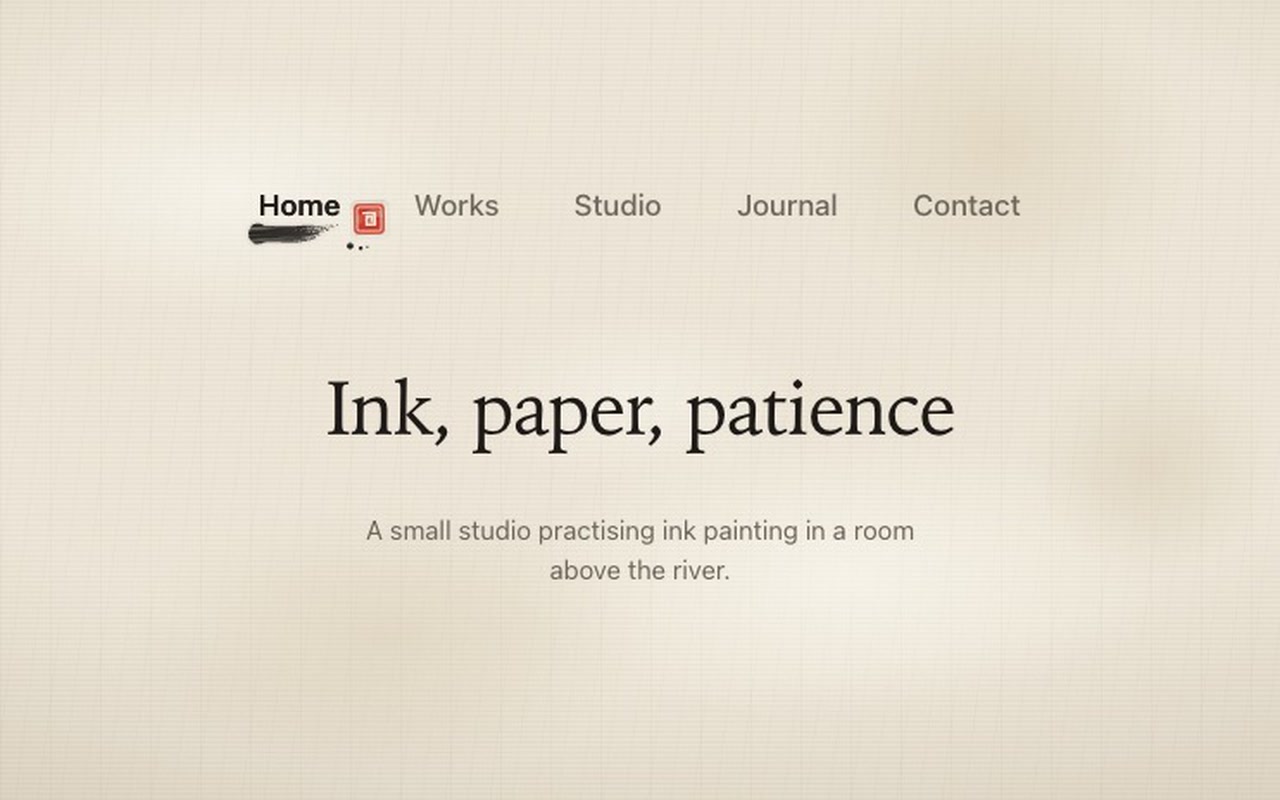
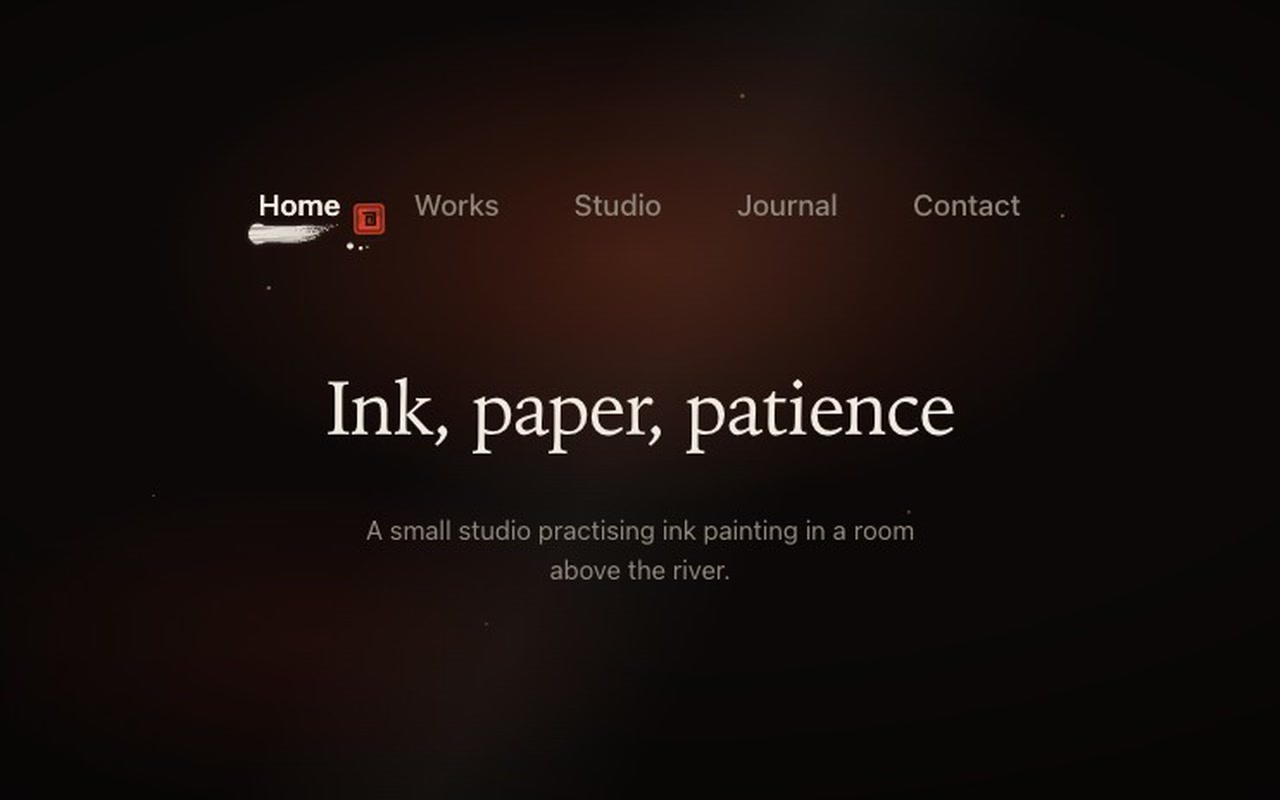
A top navigation for a website. When you choose a page, the old underline dries and fades, and a new brush stroke is painted under the link from left to right: a pressed head, a wet front, a dry tail where the bristles split, and a few drops of ink past the flick. Then a small vermilion seal is stamped beside the word.

Good for
Studio and portfolio sites, galleries, tea and food brands, bookshops, journals, anything with a hand-made feel.
How it works
Each link gets its own stroke, drawn for its width from a bundle of bristles, so no two links look the same and the stroke still fits after the layout changes. The stroke is revealed behind a darker wet edge, soaks into the paper as it finishes, and the seal lands with a short press. You can also press and drag along the menu: a wet stroke is painted live under your finger or mouse, thick when you go slowly, thin and streaky when you go fast, and the link under the brush darkens. Let go and the nearest link takes over the stroke and gets its seal. A quick flick left or right moves one link. On a multi-page site the stroke is painted once, on the page you chose, and not again on every page view.
How to use
Copy two files, paste the markup, call init(). Your links stay ordinary links; onChange tells you which one was chosen.

Specs

Price
$9, one payment
Version
1.0.0
Code size
12.3 KB gzipped
Dependencies
None
Built with
HTML, CSS, JavaScript
Category
Navigation
Licence
Unlimited personal and client projects
In the zip
  • sumi.css sumi.jsthe component
  • index.htmla plain example page
  • README.mdsetup, CSS variables, options, API, React notes
  • package.json vite.config.js npm install npm run dev
  • LICENSE.md

Use it in your project

  1. Copy sumi.css and sumi.js into your project.
  2. Add the markup from index.html (the block between the COMPONENT comments).
  3. Start it:
import { init } from './sumi.js';

init(document.querySelector('.sumi'), {
  onChange: (index, href) => console.log(index, href),
});

The links are ordinary <a class="sumi-link"> elements. Mark the current page with aria-current="page"; the script moves it when another link is chosen. Each link gets its own stroke, drawn for that link's width and redrawn when the layout changes.

On a normal multi-page site the browser follows the link as usual, and the next page paints the stroke once it has loaded (the choice is passed along in sessionStorage). A page opened any other way (typed URL, reload, back button) shows the stroke already dry, so the motion plays only when someone actually chose a page. In a single-page app, call event.preventDefault() in onChange and route yourself:

init(nav, {
  onChange: (index, href, event) => { event?.preventDefault(); router.go(href); },
});

Questions

What exactly do I get?

The full source, an example page and a README. No account, no framework.

Can I use it in client projects?

Yes, in unlimited projects. You can't resell or share the source itself.

Do I need React?

No. The README shows how to use it in React or Next.js.

Does it work with a normal multi-page site?

Yes. The links are real <a> elements and the browser follows them. In a single-page app you can stop the click in onChange and route yourself.

Is it keyboard accessible?

Yes. Tab moves between links, Enter follows one, the focus ring is visible, and the current page carries aria-current="page".

Does it work on phones?

Yes. Tap a link, or drag along the menu with your finger; a sideways drag doesn't scroll the page, and an up-and-down swipe still does. On narrow screens the links wrap to two rows and the stroke follows each link's width.

What about reduced motion?

With the system setting on, the stroke and seal fade in over 160 ms with no painting or spatter. Dragging still works and ends with a fade.

Can I change the colours?

Yes. Ink, wet edge, seal and paper dent are CSS variables, and there is a dark theme with white ink on black.

What if it doesn't work for me?

If it doesn't work like the demo, you get a refund within 14 days.

Still have a question? Email us. The person who made it answers.

Your cart

Your cart is empty. Browse components

Full screen